
 Mosaicx
How to Build, Train, Test, and Deploy Conversational AI Solutions in 2026
Conversational AI is rapidly becoming a critical tool for businesses of all sizes. It can help businesses improve customer service, increase sales,...
.png)
Call containment measures how many customer interactions your automated systems resolve without involving a live agent. Contact centers track this because it directly affects costs and efficiency.
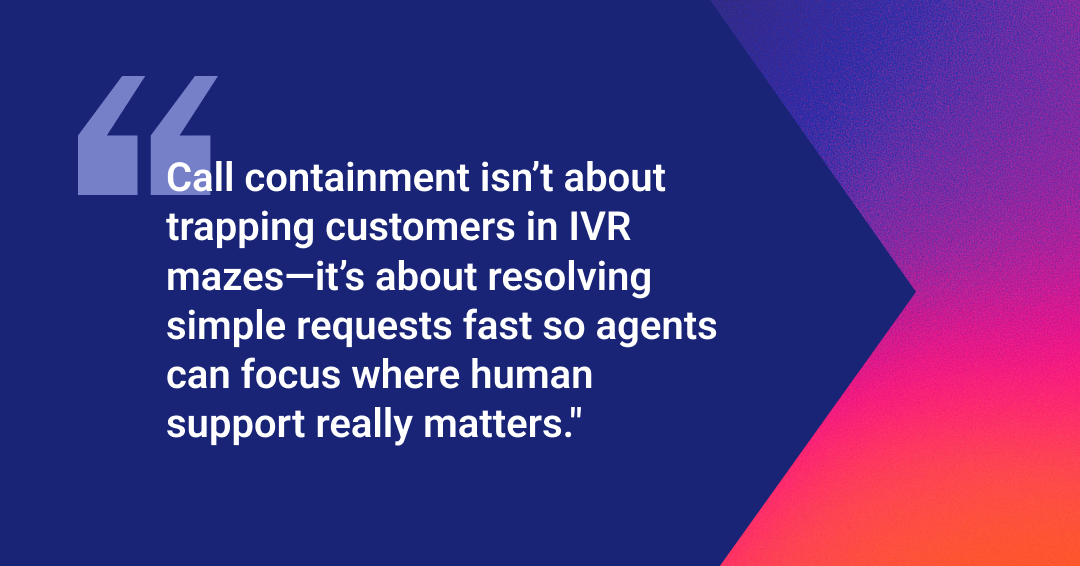
However, when call containment increases at the expense of customer experience, it backfires. Trapping people in broken IVR menus to avoid agent transfers doesn't save money; it creates frustrated customers who call back multiple times or leave altogether.
Effective containment resolves issues. Modern contact centers use AI and conversational technology to make self-service understand natural requests, personalize responses, and route correctly.
The goal is to improve call containment through smarter automation without sacrificing experience.
Every call handled through self-service costs pennies compared to the dollars spent on agent time. When your IVR resolves routine requests, your agents focus on complex issues that actually need human judgment.
Importantly, increased call containment means shorter wait times. Customers calling about simple questions get answers immediately instead of sitting in the queue. Those who do need agents reach them faster because fewer calls clog the system. This improves customer experience on both ends.
Agents benefit too. Handling the same password reset request 40 times a day burns your staff out. With automation, they instead work on high-value interactions. Hence, your job satisfaction goes up, and turnover goes down.
When customers face shorter wait times, contact centers run more efficiently. You need fewer agents to handle the same call volume, so scaling becomes cheaper.
The data from contained calls also reveals what customers need most. High self-service usage for specific tasks tells you where to invest in better automation.
Your call containment system works when customers get what they need faster than waiting for an agent. Someone calling in to check their balance might spend less than 2 minutes with an IVR, while dealing with a live agent takes a lot more time in comparison. In the former case, the call never reaches your team, but the customer gets what they want, and everyone moves on.
This is why contact centers care about their containment rate. It puts routine inquiries in a closed self-service loop, so agents handle fewer calls with significant cost savings.
However, that same self-service containment also keeps customers trapped in menus when they need real help. Someone calling about a billing error would want to immediately talk to a live agent. Instead, your IVR forces them through all the menu options that don't address their problem. The customer finally cuts the call out of frustration and calls again. Now you've paid for two calls instead of one and have also lost the customer's trust.
The difference lies in matching the right tool to the task. IVR containment systems handle simple, repetitive requests like account and status checks, basic transactions, etc. Complex issues like disputes or anything needing human judgment require a live agent.
Remember that good containment always feels invisible. Customers solve their issues without realizing they never spoke to anyone. If they start seeing your IVR like a maze that's trying to keep them out, that same system leads to bad customer experiences. The trick is to know when to contain and when to connect.
Your IVR containment rate is the percentage of calls resolved without reaching an agent. If 1,000 people enter your IVR and 700 complete their task, that's 70% containment.
IVR Containment Rate = (Total IVR calls / Calls resolved in IVR) x 100
The ideal containment rate depends on your industry and call complexity, but roughly lies in the following:
Make sure to track containment across all channels. Customers who didn't need agent assistance but did switch channels still count as contained.
You can't improve what you don't measure, and you can't contain calls if your IVR doesn't match what customers need.
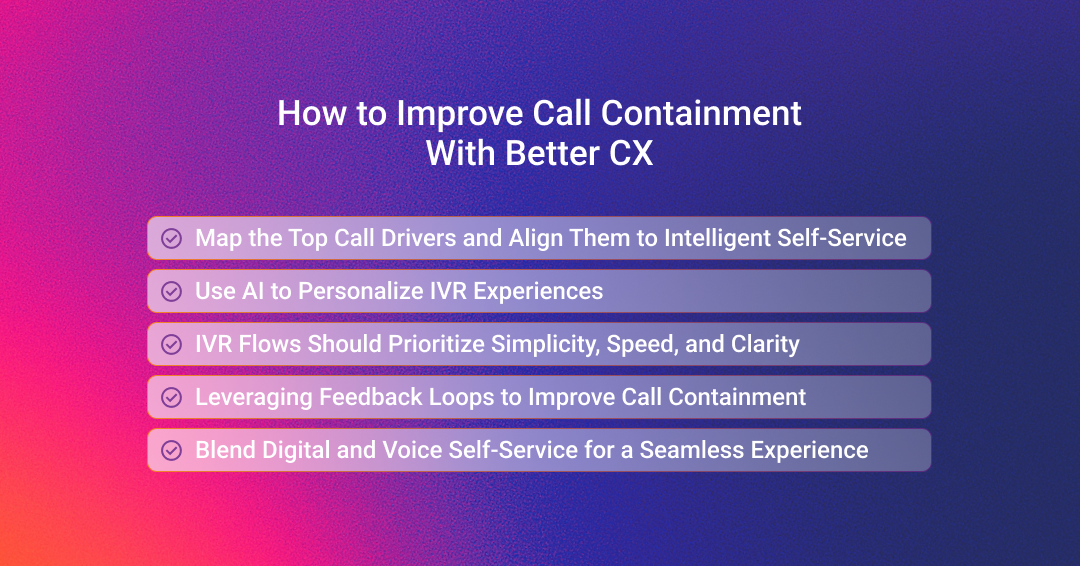
Use your call data to track why customers are calling your contact center. List down the most common call types over the last quarter, like password resets, order status checks, appointment changes, etc. These repetitive yet simple requests belong in self-service.
If you're seeing a specific request in large volumes, build an IVR path that handles just that in under a minute. The goal here is to match automation to call drivers instead of forcing a single IVR path based on an assumption.
AI solves the problem of building multiple IVR paths for different inquiries. The system is able to recognize a returning customer and automatically adjust the menu based on their history.
Natural language processing and machine learning further help by understanding and predicting the caller's needs. Your IVR listens to the customer instead of showing them a numbered list, while the latter identifies intent from how customers phrase requests. "What's my balance?" and "How much do I owe?" get treated the same way. So, quick resolutions without any confusion.
Don't add extra menu layers, thinking the added options will help customers find their solution. It actually frustrates them. Your IVR flows need to have the least number of steps possible, or else risk reducing your customer satisfaction scores.
Additionally, use plain language with shorter prompts. It means customers have to spend less time listening. Every second counts when you have an angry customer on the other end.
Finally, put your most popular menus at the start. Check your caller data for this. If over 60% of customers are calling to check their accounts, your first menu should be about accounts.
Every automated workflow needs to be monitored for continued improvements. Your IVRs are the same way. Track where most callers abandon their calls and have your team figure out why. Maybe there's an option missing or it's there but with different wording.
Have a scheduled feedback loop every month or quarter. Remember that even small changes add up to improve call containment rates.
It's common for contact centers to have their callers jump through the same verification process before solving their issue. Sending them a text with a secure link works better.
Someone calling to review detailed information can be sent an SMS with a link they can tap to verify themselves and see the document they wanted. This beats listening to prompts. This works especially well for scheduling, form submissions, or reviewing account details.
However, make it optional. Ask them if they would want you to text them a link so that they can complete their task online. Some customers would rather wait and solve it with the live agent on the other end in case they have more questions.
Conversational AI completely changes how IVR works for contact centers, especially those with large call volumes. Firstly, the AI handles every call naturally. What that means is that it lets the customer speak their issue, understands what they want, and then routes them as needed. Those "press 1 for billing and 2 for support" menus are completely eliminated.
Secondly, conversational AI is smart enough to understand context. Your customers don't need to say the exact phrase to trigger a response. They can simply say that their card isn't working or that their last transaction was declined. The AI asks one clarifying question to narrow down the problem to either activation issues, physical damage, vendor-side issues, etc, and routes them to the necessary department.
This matters for call containment because unclear menu options cause the most transfers. Traditional IVR makes customers hope they chose the right option. Conversational AI asks what they need in plain language and handles the routing logic.
Conversational AI also improves over time by learning from interactions. When multiple callers ask about something the system doesn't handle well, that surfaces in your analytics. You can add responses or refine understanding without rebuilding your entire IVR structure.
The result is higher containment rates because customers can actually complete tasks through automation. The system meets them where they are and guides them to a resolution.
Most contact centers face a common pain point of handling more calls without hiring more agents, while keeping customers happy. Mosaicx addresses that by using conversational AI to make self-service feel natural.
Customers speak in their own words, and the system understands what they need without forcing them through numbered menus. This approach resolves routine requests fast while keeping the path to live support clear for problems that need it.
Engage uses streaming speech-to-speech AI for interactions that feel human. It recognizes intent from how people naturally phrase requests.
Our system handles conversations in flow, not scripts. It asks clarifying questions when needed, accesses account information on demand, and completes transactions without transferring to an agent. This keeps calls contained because customers get actual resolution, not dead ends.
LinguaAI takes this capability further across languages. With support for over 100 languages in real time, this service enables contextual conversations that have empathy and understanding despite language differences. For a contact center handling a wide range of populations, this unlocks inclusive service delivery with scalability in quality and compliance.
Ready to see how conversational AI improves containment while keeping customer experience intact? Request a demo and experience how Mosaicx helps contact centers resolve more calls through self-service without sacrificing the human touch when it matters.

Conversational AI is rapidly becoming a critical tool for businesses of all sizes. It can help businesses improve customer service, increase sales,...

One of the most common pain points for any customer service business is the cost of unanswered calls. You not only frustrate your customers who might...
.png)
Modern contact centers operate in a fundamentally different environment than before. There's a long line of customers coming through multiple...